
Your barista sees what's expiring — before the first guest.
SORT connects to your Poster, runs expiry-aware batches on its own, and shows the team what is expiring, what to write off and what to sell first. Fewer manual checks, fewer manager interruptions, no new accounting system to learn.
We onboard the first cafés personally and for free.
A tour of the «Today» screen
A short video about the daily SORT workflow will appear here soon.
Right now, expiry dates rely on memory and luck
| Manual approach | With SORT |
|---|---|
| Dates live on stickers, notes or chat messages | Every batch gets its expiry automatically from a Poster supply — no manual entry |
| To find an exact date, you dig through chat or another system | All dates in one place — visible in seconds, no searching |
| Stock and display state are tracked separately — in notes or photos | The SORT shelf mirrors your real stock: items, approximate quantity and dates together |
| Write-offs are collected and logged at the end of the shift | One tap on «Write off» — the quantity is prefilled, the record goes to Poster |
| It's unclear what gets written off most often, and why | Analytics show what to buy less of and what not to reorder |
Ordering decisions stay with the manager in Poster — SORT only makes the incoming data visible.
One reliable cycle instead of manual steps
Supply in Poster
SORT creates batches with expiry dates, no manual entry.
SORT runs the batches
Sorts them across shelves, follows sales and the rhythm of the shift.
A transparent shift
Reminds you what's expired, what spoils today and what's actually in stock.
Write off in one tap
The barista writes off during the day or at shift end — accounting stays in Poster.
Supply in Poster
SORT creates batches with expiry dates, no manual entry.
SORT runs the batches
Sorts them across shelves, follows sales and the rhythm of the shift.
Write off in one tap
The barista writes off during the day or at shift end — accounting stays in Poster.
A transparent shift
Reminds you what's expired, what spoils today and what's actually in stock.
Features that solve real operational pain
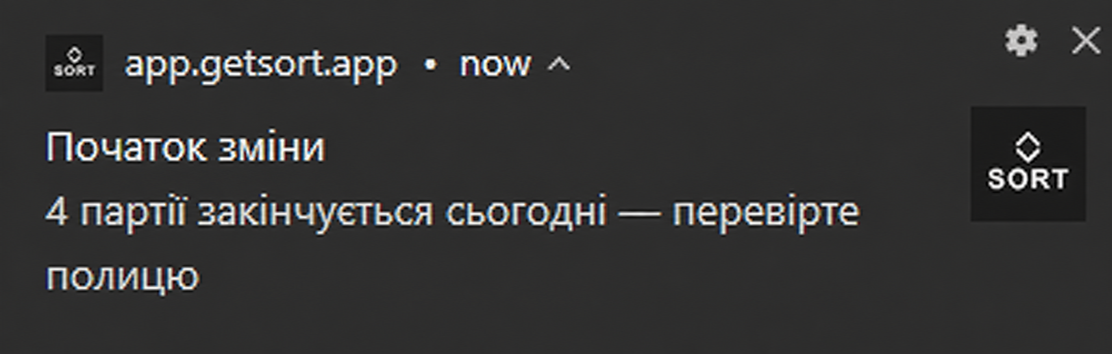
Risks before opening
SORT shows expired batches and what expires today at the start of the shift — the team does not learn about the issue from a guest.
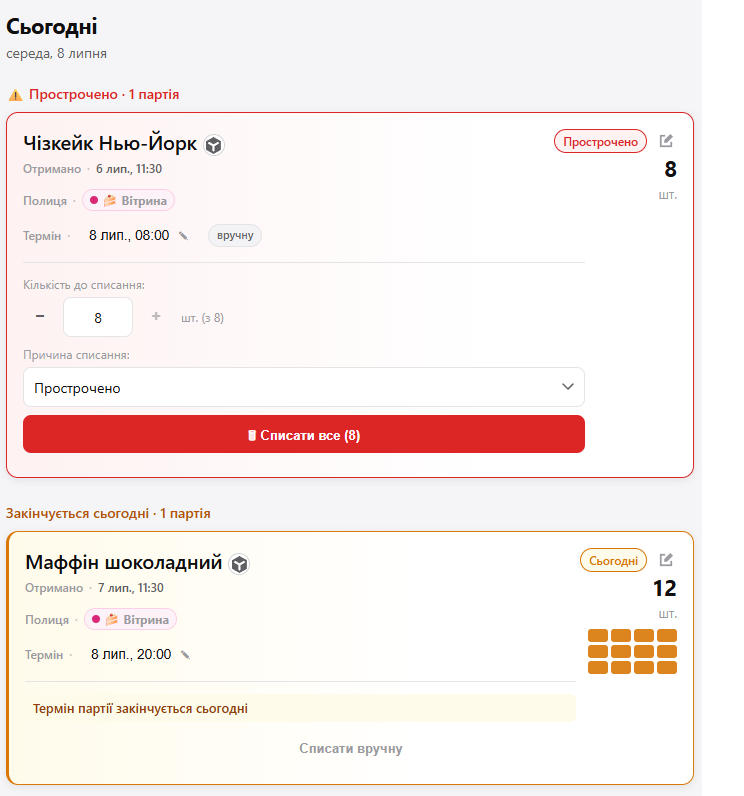
Prioritized «Today» screen
Red, amber and new batches in one action order. The barista does not have to decide what to check first.
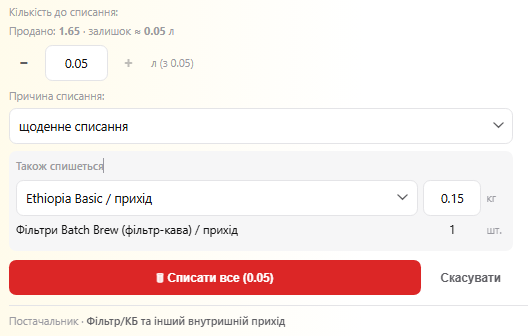
Write-offs without double work
Quantity is prefilled from sales, the reason is selected on the spot, and the record goes to Poster. Fewer end-of-day guesses.

Batches without manual entry
Poster supplies become expiry-aware batches. For the barista, it is a confirmation, not a form.
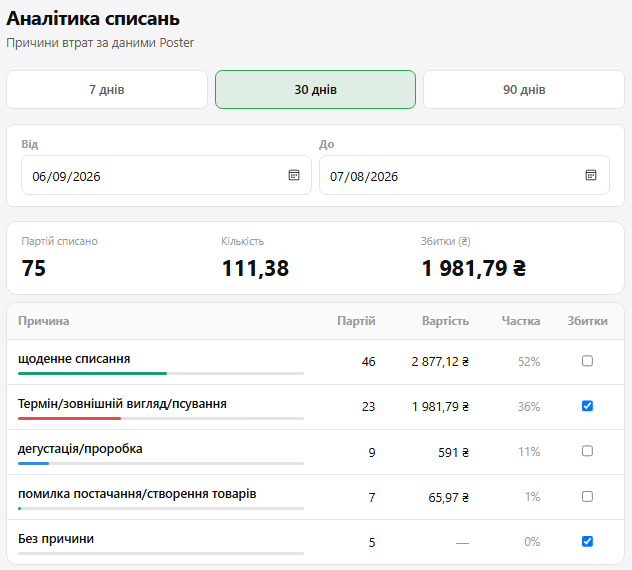
Analytics by loss reason
The manager sees where money burns: expiry, daily write-offs, tastings, supply issues. That becomes input for purchasing.
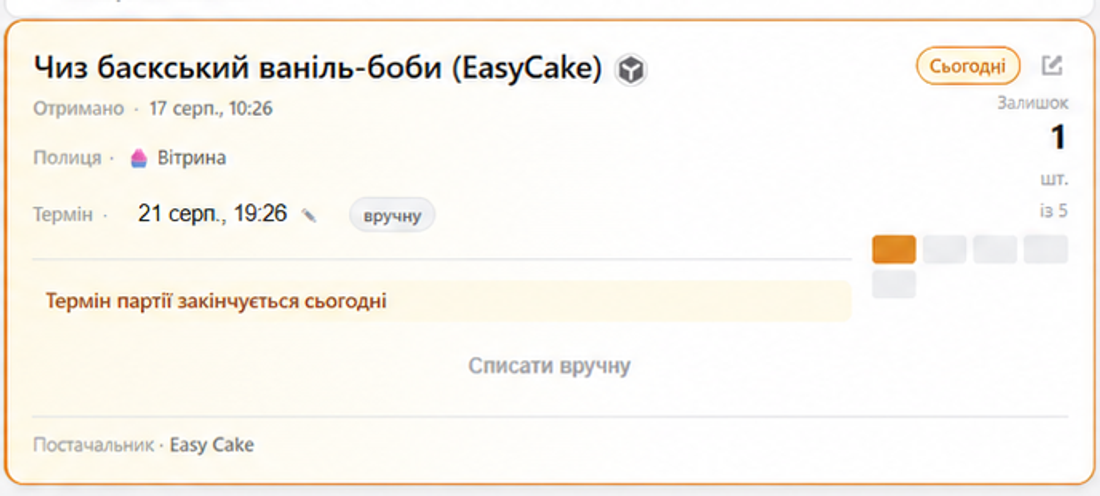
A shelf without chat photos
Items, approximate quantity and expiry are visible together. Fewer «how much is left?» interruptions and better pre-order decisions.
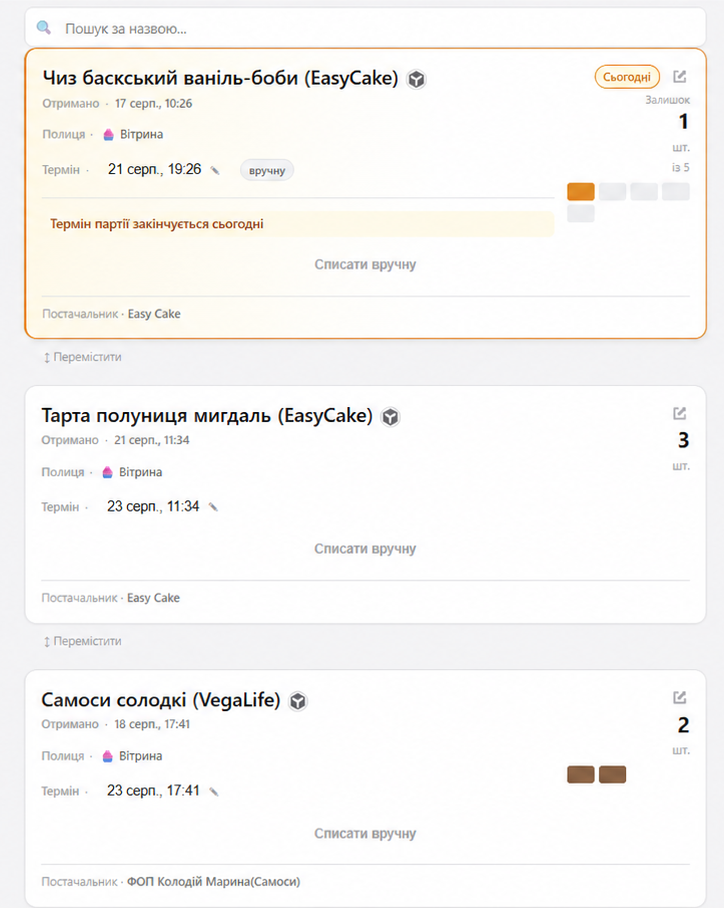
A shelf like in real life
Shelves in SORT mirror your café's real stock — you can see what's there, roughly how much is left and when it expires. It does not replace the manager's decision, but it removes display photos, notes and «how much is left?» questions in the middle of the shift.
Built to be a pleasure to use.
Doesn't Poster already do this?
Poster
Knows stock and cost — for accounting. But it doesn't know expiry dates.
SORT
Adds an expiry to every batch, reminds the barista during the shift and prepares one-tap write-offs — on top of your Poster data, changing nothing in your accounting.
SORT doesn't replace Poster — it makes your existing Poster data visible where and when you need it.
Guides for everyday work
Prepare SORT for the first shift
What to check in Poster, how to sign in, and how to set up products, shelves and notifications.
All guidesManage expiry without manual checks
Your daily rhythm, manager decisions, write-offs and reports — everything needed to work with confidence.
All guidesCosts less than what you throw out in a week
Free
Try everything at a single location.
- Push at the start and end of the shift
- One-tap confirm and write-off
- Up to ~15 items in the registry
- 7-day analytics
Pro · per location
For a café's daily work.
- Everything in Free, no limits
- Unlimited batches and shelves
- 90-day analytics
- Sub-batches, rotation, roles
We launch the first cafés personally — we'll agree the exact price at onboarding.
Frequently asked questions
Connect your café
Leave your contact — we'll connect your Poster personally and for free. We launch the first cafés by hand, together with you.
Or write to us directly:Telegram @feelofeel
Thank you!
We'll get back to you within a day.